My KPOP Shop Getting Started Guide
Your first hour in Chuuves' K-pop merch shop sim — from empty shelves to steady sales.
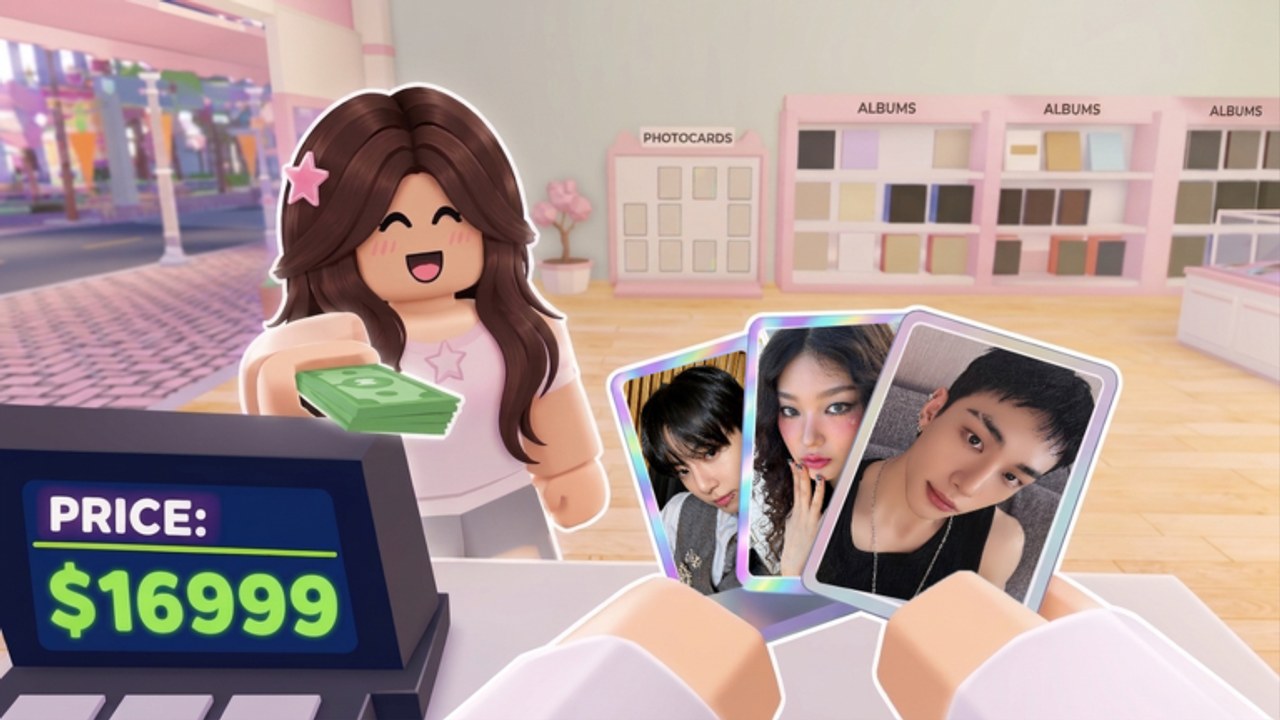
My KPOP Shop is a Roblox shop simulator by Chuuves. You run a K-pop merch store: stock albums, lightsticks, and photocard packs, serve fans at the register, catch thieves, hire a restocker, cashier, and guard, decorate with group themes, open packs for your binder, claim dailies, earn while offline, and climb sales rankings. This guide covers the first hour so you spend cash on the right upgrades.
Before you leave the menu
Join from the official Roblox page, finish any onboarding prompts, then open Settings. Redeem active strings from the Codes page — examples include KPOPSHOP for cash and 250LIKES or MONEYPLEASE for timed 2x money. Claim daily rewards on the same session so early stock buys stretch further. Bookmark this wiki and the Guides Hub for deeper topics later.
First-hour money loop
- Walk the floor and note empty shelf slots for albums, lightsticks, and photocard packs.
- Buy and place stock until every visible shelf has product — empty displays kill sales.
- Stand at the register or stay near it until a cashier unlocks; ring fans up quickly.
- Watch for thieves; catch them yourself early so revenue stays in your pocket.
- Reinvest profit into more stock before cosmetics.
- When levels allow, hire a restocker, then a cashier — see Hire Staff.
That loop is the whole early game. Fancy themes and binder chasing come after the register is busy. If shelves keep going empty while you serve, prioritize the restocker. If lines pile up while you restock, prioritize the cashier. Full stocking tactics live in Stock Shelves.
What to ignore in hour one
Do not dump every coin into photocard opens before the shop can restock itself. Packs are fun and feed the binder, but customers also buy packs from shelves — keep inventory for them. Decor themes look great and help identity, yet they do not replace a full aisle. Thieves punish distracted owners; learn the catch pattern in Catch Thieves instead of AFKing with an unguarded floor.
Offline earnings help when you leave, but they assume you left a shop that was stocked and staffed. A bare store earns poorly even offline. Sales rankings favor consistent uptime, so a clean first hour compounds into better ranks later.
Codes, Discord, and staying current
Redeem codes only in Settings. Wrong menu equals wasted time. Join the official Discord for new codes and patch chatter, then cross-check Updates on this wiki. Never share account details for “free packs” in random chats.
Mid-session goals
Once stock and one staff member are stable:
- Open a few photocard packs for binder progress — Photocard Packs
- Place starter decor or a group theme when cash is comfortable — Decorate Shop
- Invite a friend for co-op; each friend on the server adds +10% earnings — Co-op Guide
Co-op multiplies a working shop. It does not fix empty shelves. Bring friends after you understand stocking and theft response.
Common first-hour mistakes
- Redeeming nothing while struggling for stock money
- Serving only and never restocking
- Restocking only and never ringing sales
- Ignoring thieves until losses hurt
- Hiring the wrong role first for your bottleneck
- Spending pack budget before shelves are full
Fix the bottleneck you feel: empty shelves, long lines, or stolen goods. Then expand. Use Tier List later when comparing upgrade priority across systems.
Checklist before you log off
- Dailies claimed
- Active codes redeemed
- Shelves filled across product types
- At least one staff hire if unlocked
- Thieves handled or guard planned
- Friend invite ready if you want the earnings bonus
Return to this page after major patches if the tutorial or unlock order shifts. Sibling guides under Guides go deeper on each system without repeating the whole onboarding path.
Frequently Asked Questions
Quick answers for My KPOP Shop shop owners.
Where do I redeem My KPOP Shop codes?
Open Settings in-game, enter the code, and confirm. Working rewards include cash and timed 2x money — see the Codes page for the live list.
What should I buy first?
Stock for empty shelves first. Then hire a restocker or cashier based on whether shelves or the register is your bottleneck. Decor and heavy pack opening come after cash flow is steady.
Do I need friends to play?
No. Solo works. Each friend on your server adds +10% earnings, so co-op is optional but strong once the shop loop is clear.
Why are sales slow even with some stock?
Gaps on shelves, slow checkout, or theft can all cut income. Fill every category, stay near the register or hire a cashier, and catch thieves promptly.
When should I open photocard packs?
After shelves are stocked and basic staff is hired. Keep packs for customer shelves too; personal opens are for binder goals on top of a working shop.